
Description
Flipbox is the most complete flip box plugin for WordPress. Whether you want a slick team member card, a bold service showcase, or a product highlight with a call-to-action on the back — Flipbox gives you 29 professionally designed styles (10 free, 19 Pro), 4 flip directions, and 50+ scroll animations to make it happen.
✨ No coding. Pure CSS3. Smooth, responsive flip cards that work everywhere.
🎬 Live Demos | ⭐ Upgrade to Pro | 📖 Documentation | 🆘 Support
The idea behind a flip box is simple: show something on the front, reveal something more on the back. But how you execute that makes all the difference. Flipbox gives you total control over both sides — icons, images, headings, descriptions, buttons, colors, borders, shadows, and animation speed — all from a clean visual admin panel.
Every flip animation is built in pure CSS3, so your pages stay fast.
🚀 Key Features
- 🎨 29 unique flip box styles — from clean minimal cards to bold image overlay designs
- 🔄 4 flip directions — left-to-right, right-to-left, top-to-bottom, bottom-to-top
- ✨ 3 smooth easing effects — choose the transition feel that fits your design
- 🎞️ 50+ scroll entry animations — bounce, fade, zoom, slide, rotate, and more (powered by Animate.css)
- 🖼️ Full front & back customization — icon, image, heading, description, and CTA button on each side
- 🎨 Complete color control — background, text, icon, border, button, and hover states for both sides
- 🔤 Google Fonts support — choose any Google Font for headings, descriptions, and buttons
- 📐 Typography control — font size, weight, style, alignment, and padding per element
- 💫 Box shadow — color, blur, spread, and offset controls
- 🧱 Responsive grid — set 1 to 12 columns for any screen
- ⚡ Animation speed control — set duration per flip box in seconds
- 🔗 CTA button with link — add a button with URL on the back side of each item
- 🏷️ Font Awesome icons — use any Font Awesome icon on the front side
- 🛠️ Custom CSS per style — add your own CSS for pixel-perfect control
- 🧩 Elementor & WPBakery — native widget and shortcode integration
- 📋 Shortcode support — embed anywhere with
[oxilab_flip_box id="1"] - ♿ Accessibility — proper alt text support for all images
- 📦 Import/Export — JSON-based template import and export
✨ Free Version Features
The free version is genuinely capable. Here is everything included at no cost:
- ✅ 10 flip box styles (Style 1–10)
- ✅ 4 flip directions (left, right, top, bottom)
- ✅ 3 easing transition effects
- ✅ 50+ scroll entry animations
- ✅ Front side: image, Font Awesome icon, title/heading
- ✅ Back side: description, CTA button, background image, link
- ✅ Full color control (background, text, icon, border, button, hover)
- ✅ Google Fonts for headings, descriptions, and buttons
- ✅ Typography controls (size, weight, style, alignment, padding)
- ✅ Box shadow settings (color, blur, spread, offset)
- ✅ Responsive column grid (1–12 columns)
- ✅ Animation speed control
- ✅ Custom CSS editor per style
- ✅ Shortcode-based — works in any post, page, or widget
- ✅ Elementor native widget
- ✅ WPBakery Visual Composer integration
- ✅ WordPress sidebar widget support
- ✅ Works via shortcode in Gutenberg, Divi, Beaver Builder, and any other builder
- ✅ JSON template import and export
- ✅ User role-based access control
- ✅ SEO-friendly HTML with alt tag support
🔥 Pro Version Features
Pro unlocks full creative control and priority support:
- 🔓 19 additional flip box styles (Style 11–29) — unlock the full design library
- 🔓 Unlimited flip items per shortcode
- 🎨 Advanced color pickers — fine-tune every color on both sides per item
- 🔤 Per-element font control — independent Google Font for heading, description, and button
- ✏️ Custom font sizes — separate size controls for every text element
- 🖼️ Border and radius control — fine-tune border width, style, and border radius
- 🔗 Per-item link settings — open links in a new tab on a per-item basis
- 📹 Video tutorials for every feature
- 🎧 Priority support with fast response times
👉 See All Free vs Pro Features
🎯 Perfect For
- 👥 Team pages — show a photo and name on the front, bio and social links on the back
- 🛍️ eCommerce — display product image on the front, key features and buy button on the back
- 🏢 Services sections — icon and service name on the front, full description and CTA on the back
- 🎨 Portfolios and agencies — present project thumbnails with a stylish flip reveal
- 📸 Photographers — gallery images on the front, captions and links on the back
- 🏠 Landing pages — interactive flip cards draw attention to key content sections
- 📰 Blogs and magazines — make article feature cards more engaging with hover animations
📈 Why Use This Plugin
There are other flip box plugins out there, but Flipbox is the one that gives you real depth without requiring a developer.
Here is why thousands of users choose it:
- 📦 29 styles, all included — no packs, no bundles, all styles available from day one
- 🖱️ No coding required — every setting is in the visual admin panel
- ⚡ Lightweight — pure CSS3 output, no heavy JavaScript libraries
- 🧩 Page builder ready — native Elementor widget, WPBakery integration, and shortcode for everything else
- 🔒 Actively maintained — PHP 8 compatible, regularly updated, security hardened
- 👨💻 Developer-friendly — custom CSS support, PSR-4 namespacing, clean codebase
Screenshots
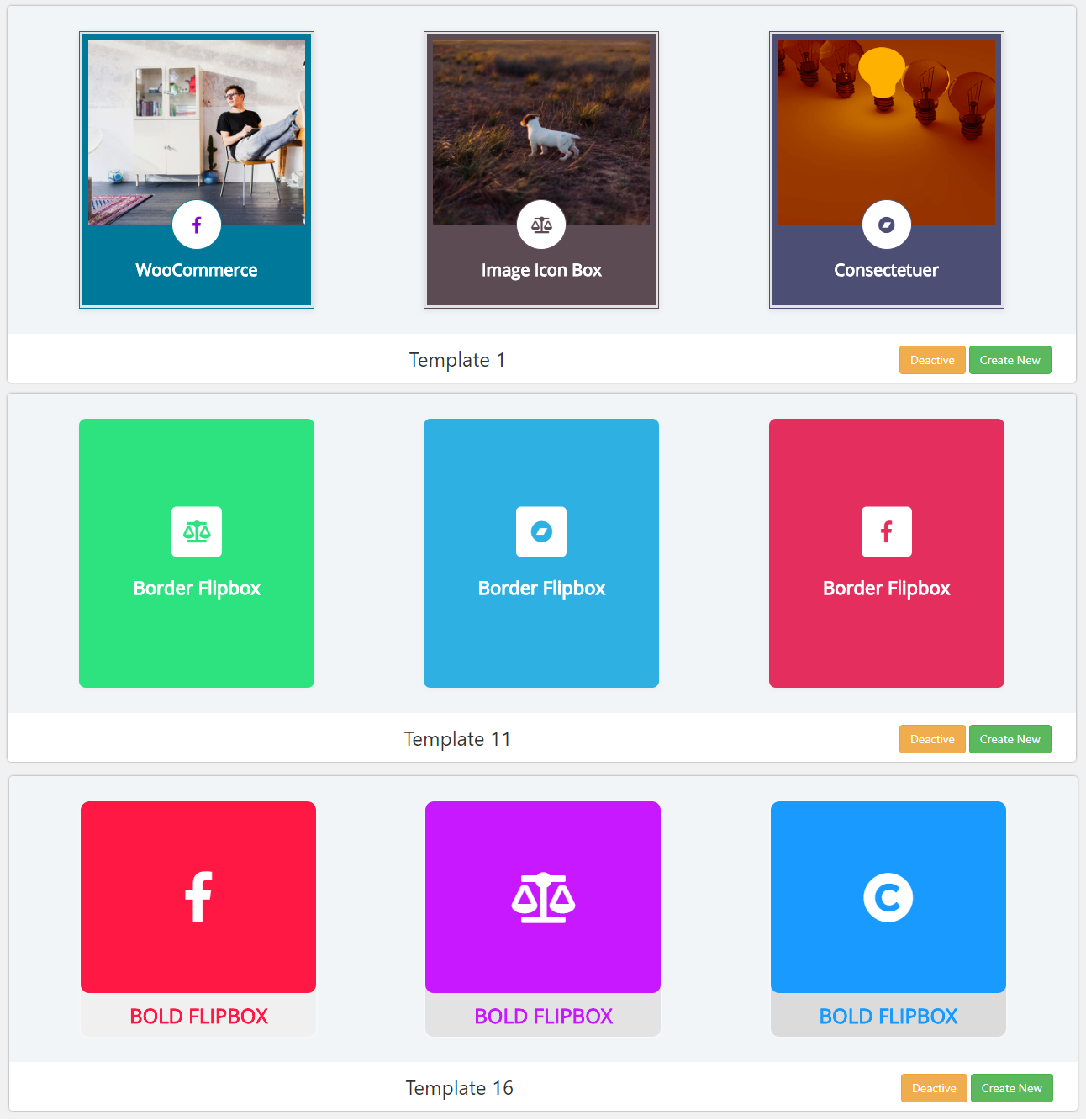
🗂️ Flipbox dashboard showing all saved flip box shortcodes. 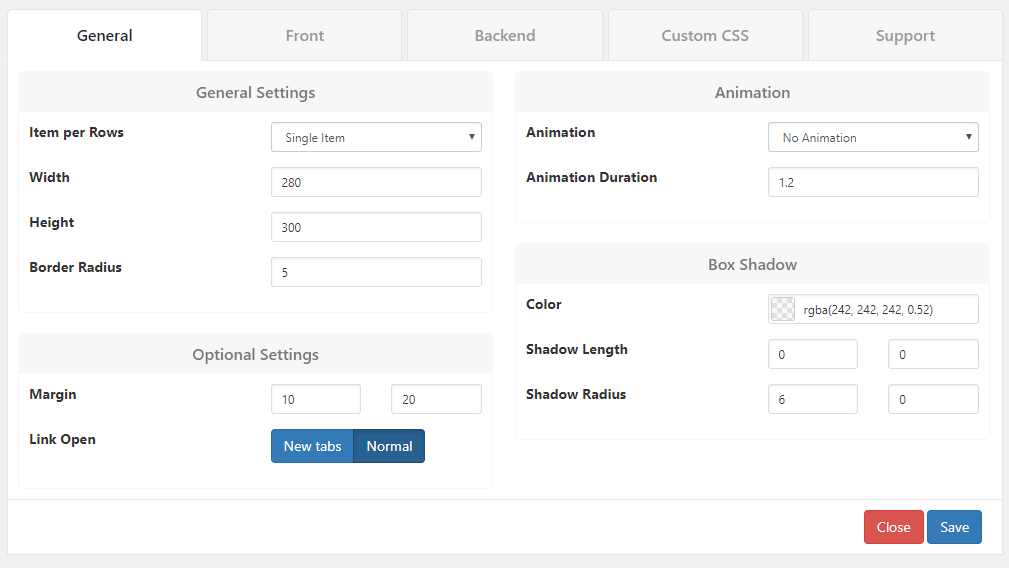
🖼️ Style selector — choose from 29 professionally designed flip box layouts. 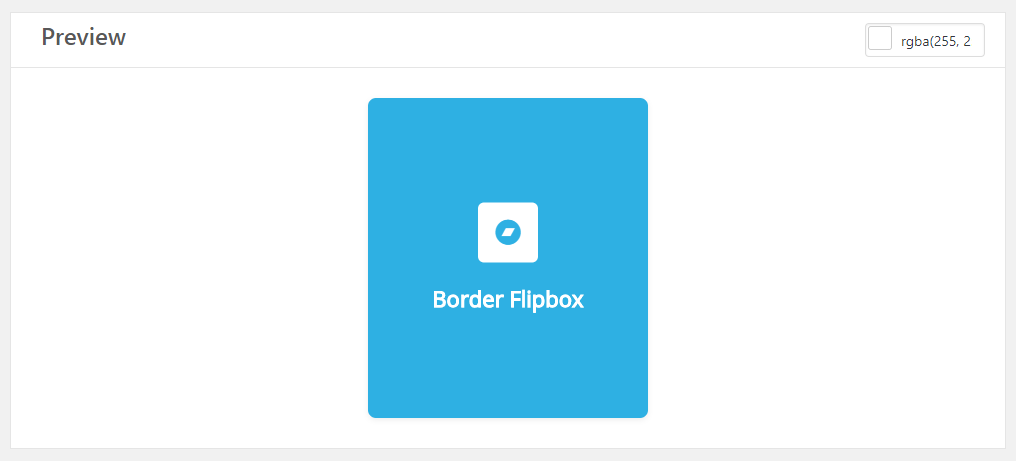
🎛️ Admin panel with front side settings — color, icon, image, typography. 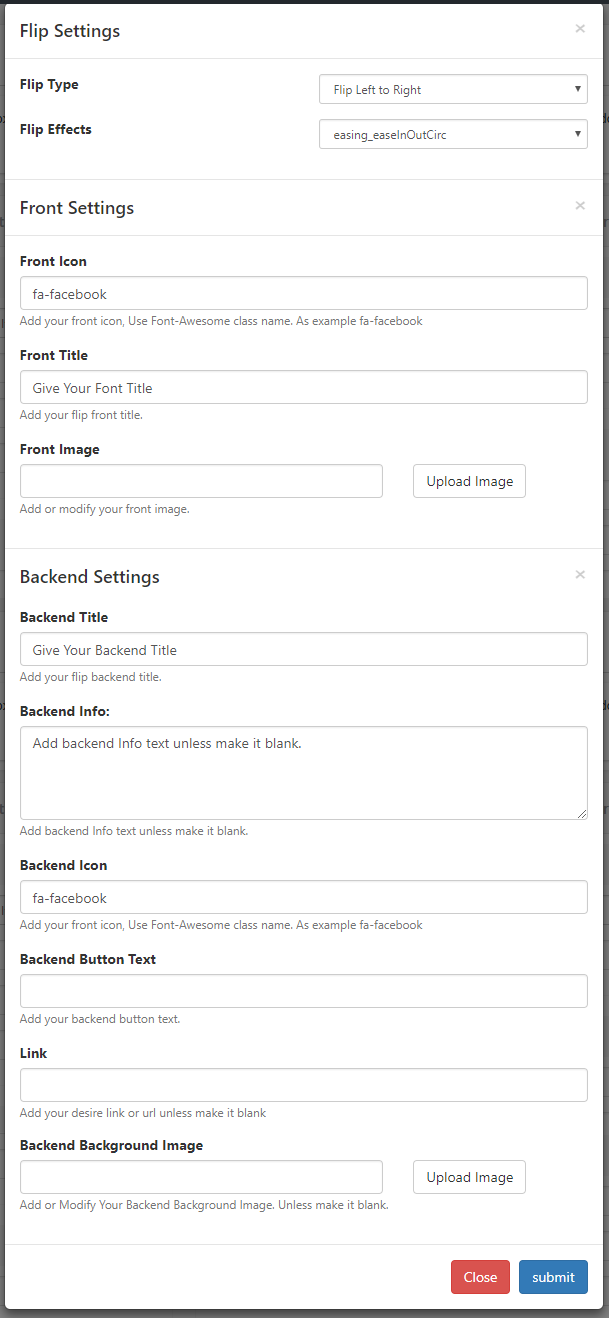
🔄 Back side settings — description, button, colors, and typography.
Installation
⬇️ Option 1 — Install from WordPress.org (Recommended)
- 🔑 Log into your WordPress admin panel
- 🔍 Go to Plugins > Add New and search for Flipbox Awesome Flip Boxes
- 🖱️ Click Install Now, then Activate
📦 Option 2 — Manual Upload
- ⬇️ Download the plugin zip from WordPress.org
- 📂 Go to Plugins > Add New > Upload Plugin
- 📤 Upload the zip file and click Install Now
- ✅ Click Activate Plugin
🚀 Getting Started
- 🗂️ Go to Flipbox in your WordPress admin sidebar
- 🎛️ Click Create New and choose one of the 29 styles
- ✏️ Give your flip box a name and click Save
- ➕ Click Add New Item, upload a front image, add your title, description, and back button
- 📋 Copy the generated shortcode — for example
[oxilab_flip_box id="1"] - 📄 Paste it into any post, page, or widget
FAQ
-
🔌 Does this plugin work with Elementor?
-
Yes. A native Elementor widget is included. Go to the Elementor editor, search for Flipbox” in the widget panel, drag it onto your page, and select your flip box ID. You can also paste the shortcode into an Elementor Shortcode widget.
-
🧱 Does it work with WPBakery Visual Composer?
-
Yes. A native WPBakery element is included. Add the Flipbox element from the WPBakery content bar and select your flip box ID.
-
🟦 Does it work with Gutenberg, Divi, or other page builders?
-
Yes, via shortcode. Use the core Shortcode block in Gutenberg, or a text/code module in Divi, Beaver Builder, or any other builder. Paste
[oxilab_flip_box id="1"]and your flip box will display correctly. -
💻 Do I need to write any code?
-
No. Everything is configured through the visual admin panel. Developers who want more control can also add custom CSS per style, but it is completely optional.
-
📱 Are the flip boxes mobile-friendly?
-
Yes. Every layout is fully responsive. Flip animations work smoothly on iOS and Android touch devices.
-
🎨 How many styles are available?
-
29 unique flip box styles are included — each with full customization for colors, typography, icons, images, and animations.
-
🔄 What flip directions are available?
-
4 directions: left-to-right, right-to-left, top-to-bottom, and bottom-to-top. Each can be combined with 3 easing effects and an optional scroll entry animation.
-
📋 How do I add a flip box to a page?
-
After creating a flip box in the admin panel, copy its shortcode (e.g.
[oxilab_flip_box id="1"]) and paste it into any post, page, widget, or page builder block. -
🆓 What is the difference between free and Pro?
-
The free version includes all 29 styles, all flip directions, scroll animations, full color and typography controls, and page builder integrations. Pro unlocks unlimited items per shortcode, per-item advanced controls, video tutorials, and priority support. See the 🔥 Pro section above for the full list.
-
🔧 Is the plugin compatible with PHP 8?
-
Yes. Version 2.10.8 includes full PHP 8 compatibility — type-safe CSS value casting across all 29 styles and improved error handling throughout the plugin.
Reviews


Contributors & Developers
“Flipbox – Awesome Flip Boxes & Image Overlay for WordPress” is open source software. The following people have contributed to this plugin.
Contributors

Translate “Flipbox – Awesome Flip Boxes & Image Overlay for WordPress” into your language.
Interested in development?
Browse the code, check out the SVN repository, or subscribe to the development log by RSS.
Changelog
3.0.0
- 🐛 Fix: Resolved dimension calculation issue for PHP 8
- 🐛 Fix: Fixed PHP 8 fatal TypeError — WP backend crash when remote API was unreachable
- 🗑️ Removed: Recommended plugin feature and external API calls
- ✨ Improvement: PHP 8 compatibility — numeric CSS values auto-cast to float across all 29 styles
- 🔄 Update: Rebranded to Oxilab — updated author info, URLs, and CSS classes with backward compatibility
- 🔄 Update: Demo images now load from Cloudflare R2 CDN for faster delivery
2.10.7
- 🐛 Fix: Resolved Elementor addon compatibility issue
- 🐛 Fix: Fixed demo image loading issue
2.10.6
- 🗑️ Removed: Admin support and comments panel
- 🐛 Fix: Removed orphaned filter registrations
- 🆕 New: Elementor widget added under General panel with ID control
- ✨ Improvement: Shortcode list — copyable Shortcode chip UI
- ✨ Improvement: Import button opens JSON import modal
2.10.5
- 🐛 Fix: Resolved fatal error — get_row() on null in Public_Helper.php
- 🐛 Fix: Resolved fatal error — Installation class not found during activation
- ✨ Improvement: Added safety checks for database initialization
2.10.4
- 🐛 Fix: Resolved Visual Composer fatal error with get_row()
2.10.3
- 🐛 Fix: Resolved Visual Composer and Widget fatal errors
2.10.1
- ✨ Improvement: Updated Getting Started page
- 🔒 Fix: Resolved security issue
2.10.0
- 🆕 New: Added Getting Started page
- 🆕 New: Integrated Freemius SDK for license management
2.9.8
- ✅ Compatible with WordPress 6.8
- 🐛 Fix: Resolved shortcode list display issue
2.9.7
- ✅ Compatible with WordPress 6.7
- 🐛 Fix: Fixed data table search
2.9.6
- ✅ Compatible with WordPress 6.6.2
- 🐛 Fix: Resolved AJAX bugs
2.9.5
- ✅ Compatible with WordPress 6.4.3
- 🐛 Fix: Resolved AJAX bugs
2.9.3
- ✅ Compatible with WordPress 6.3.0
- 🐛 Fix: Resolved AJAX bugs
2.9.2
- ✅ Compatible with WordPress 6.2.2
2.9.0
- ✅ Compatible with WordPress 6.1.1
- 🐛 Fix: Resolved output echo bugs
2.8.3
- ✅ Compatible with WordPress 6.0.0
- 🆕 New: Added alt tag support for all images
2.8.0
- 🆕 New: HTML tag support in content fields
2.7.0
- 🆕 New: Updated flip box modules
2.3
- 🆕 New: Added new layouts and theme capabilities
1.9
- 🐛 Fix: Resolved Gutenberg shortcode compatibility
1.5
- 🆕 New: Added Font Awesome support
- 🐛 Fix: Various bug fixes
1.0
- 🎉 Initial release with 23+ responsive flip box layouts