
Description
🚀 ALLDAMI Site Migration is a blazing-fast, secure, and incredibly easy-to-use tool built to simplify moving, backing up, and cloning WordPress sites.
Whether you are migrating from localhost to a live server, moving to a new domain, or just taking a routine snapshot of your site, ALLDAMI handles the heavy lifting without breaking a sweat.
🔥 Why Choose ALLDAMI?
Unlike plugins that restrict features behind paywalls or route your sensitive data through their own 3rd-party cloud servers, ALLDAMI is engineered for resilience, ultimate privacy, and performance:
- ⚡ Zero Timeout Architecture: We use intelligent chunk-based processing. Your server will never time out, even on massive 10GB+ sites.
- ♾️ Truly Unlimited Size: No artificial limits! Move 500MB or 50GB. If your hard drive can hold it, ALLDAMI can migrate it for free.
- � Privacy First (GDPR / KVKK Compliant): 100% Self-Hosted. Your site data travels only between your local computer and your server. We NEVER upload your data to a 3rd-party cloud or intermediary server.
- 🚫 No FTP or cPanel Keys Needed: Why give out your root server passwords? ALLDAMI works entirely through the WordPress dashboard. No technical knowledge or FTP credentials required.
- �🔓 Bypass Upload Limits: Forget about
upload_max_filesizeerrors. Our custom import engine uploads large archives in tiny, manageable pieces directly from your browser. - 🛡️ Bank-Grade Security: All migrations are protected by strict token-based authentication and role-based access control.
- 🧪 Dry-Run Mode (Simulation): Nervous about overwriting data? Test your entire import process safely without modifying your live database!
🌟 Core Features
- One-Click Backup & Export: Instantly package your entire database, themes, plugins, and media into a single downloadable archive.
- Drag & Drop Import: Simply drag your archive into the dashboard and let the engine do the rest.
- Direct DB Import: A highly optimized SQL engine built specifically for enormous databases.
- Auto URL Replacement: Moving to a new domain? ALLDAMI automatically and safely replaces all URLs across your entire database, including serialized data.
- Paranoid & Debug Modes: Advanced developer tools for maximum control over the import environment.
- Automated Cleanup: Leaves no trace behind by automatically purging temporary migration files once the job is done.
Screenshots
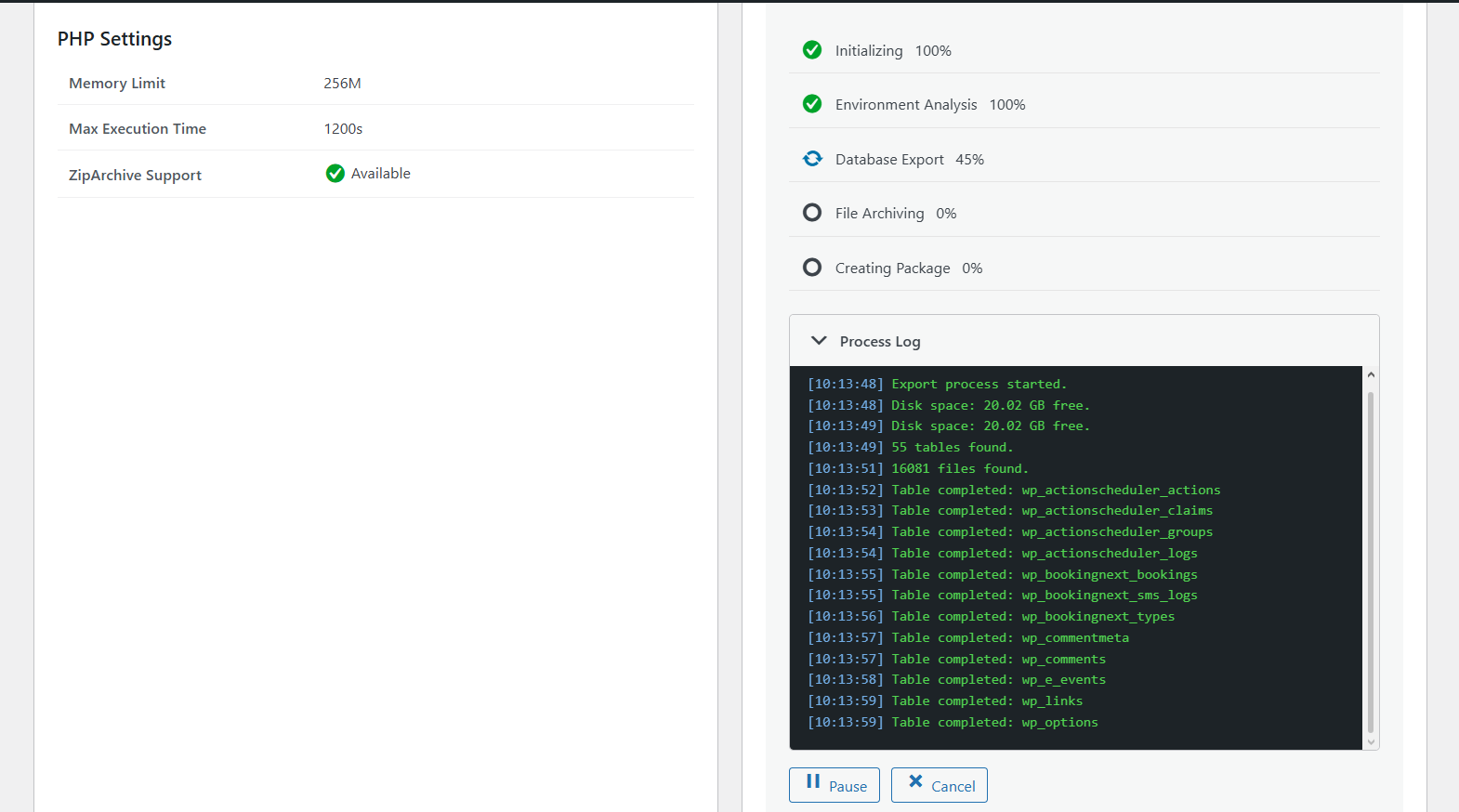
Export dashboard – Simple, intuitive interface to backup your site with one click. 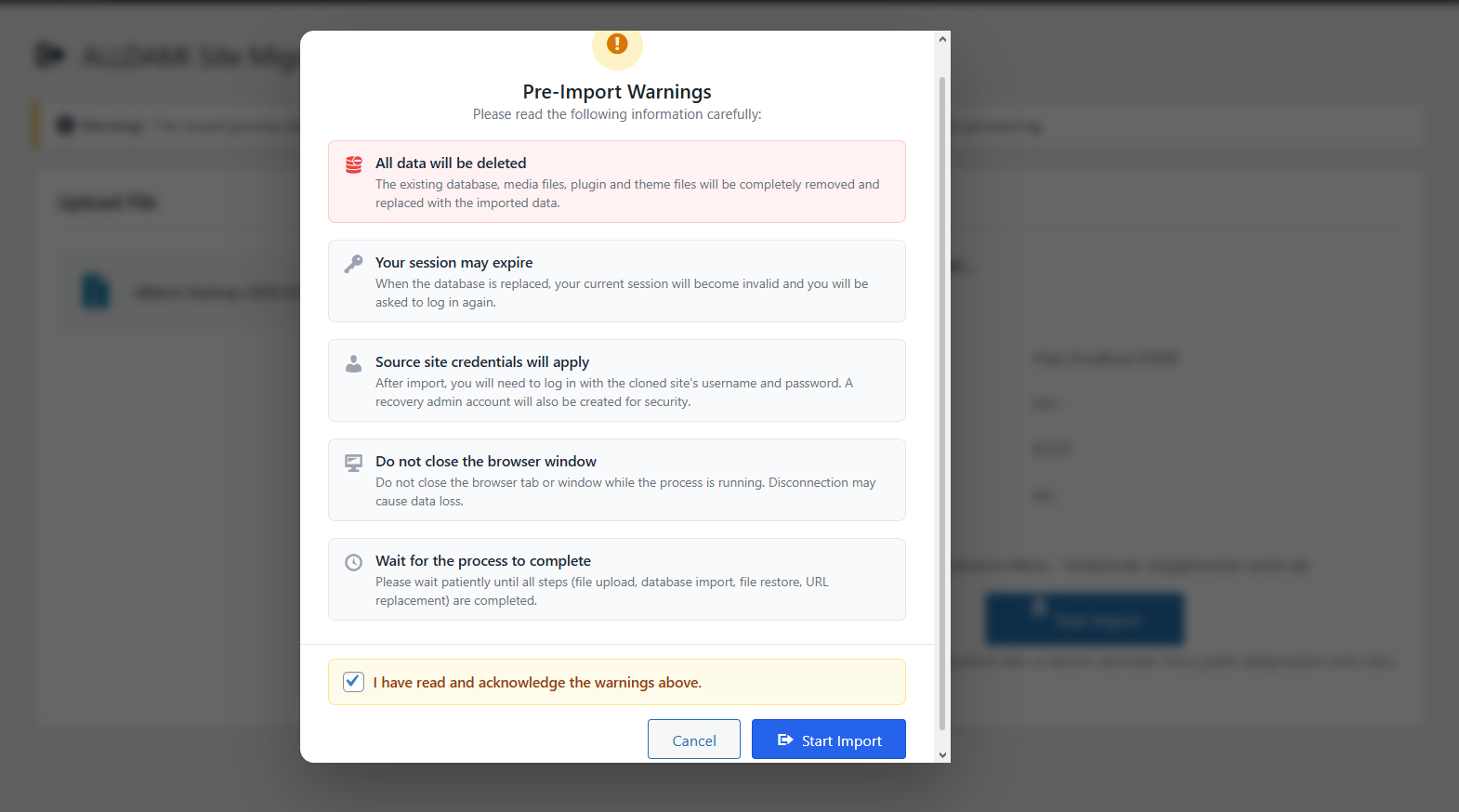
Import dashboard – Drag and drop file upload with real-time chunk progress tracking. 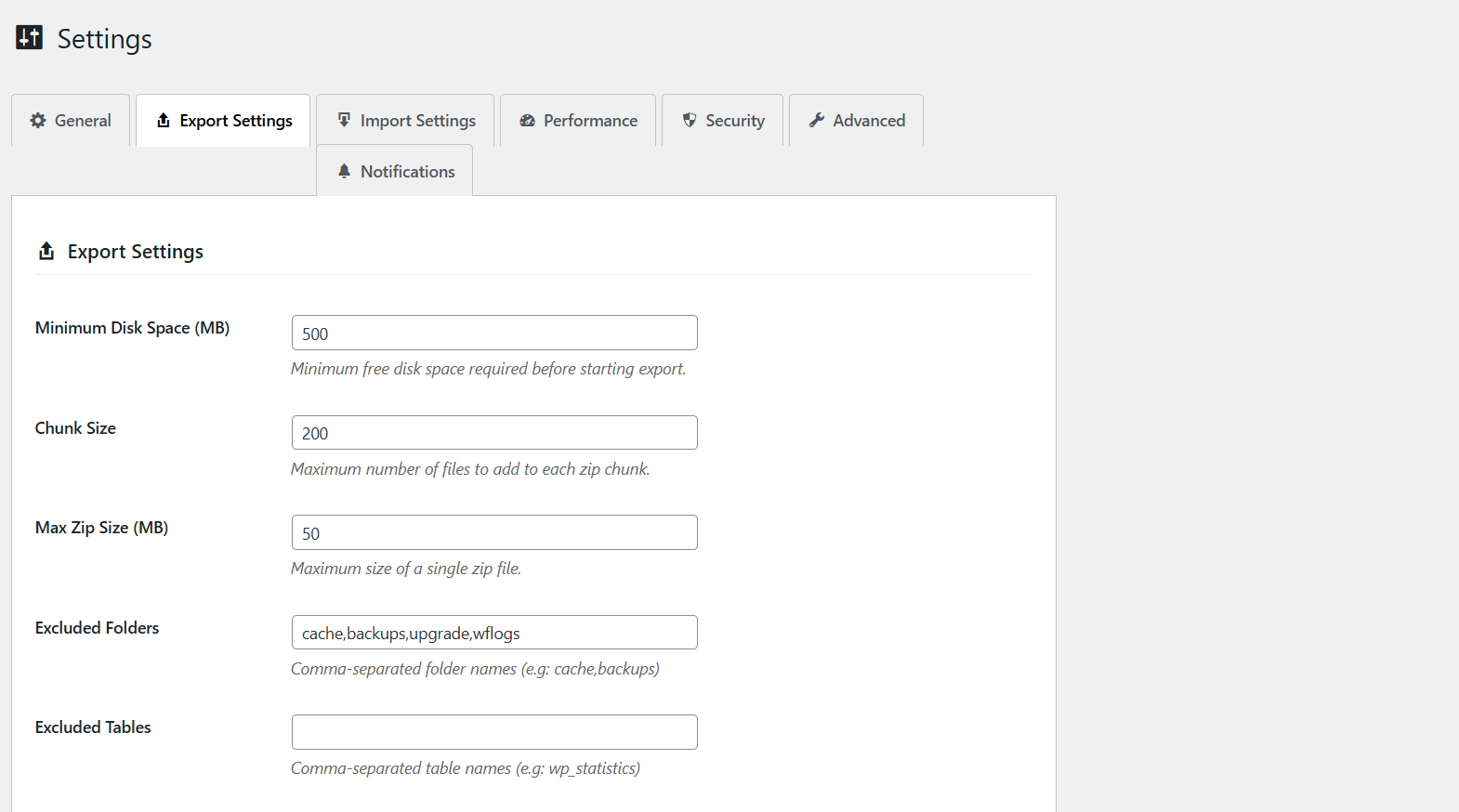
Settings page – Configure advanced security, performance, and notification options.
Installation
- Go to Plugins > Add New in your WordPress dashboard.
- Search for ALLDAMI Site Migration.
- Click Install Now and then Activate.
- Navigate to the new ALLDAMI Site Migration menu in your admin sidebar to start exporting or importing!
(Alternatively, you can upload the plugin ZIP file manually via the Plugins page or FTP to your /wp-content/plugins/ directory).
FAQ
-
Does it support very large sites (10GB+)?
-
Yes! ALLDAMI uses advanced chunk-based streaming. This means it processes files and database rows in tiny batches, completely bypassing standard PHP memory limits and
max_execution_timerestrictions. -
Will I get File too large” errors during import?
-
No. Our custom chunkized upload system breaks your large backup file into small pieces directly in your browser before sending them to the server, evading any hosting upload limits.
-
Is it safe to move my site to a different domain name?
-
Absolutely. ALLDAMI features a robust ReplaceEngine” that smartly executes search-and-replace operations across your entire database (including complex serialized strings) to ensure your new domain works flawlessly.
-
Will my target site’s data be deleted?
-
Yes, a full import will overwrite the existing database and files. We highly recommend using the included Dry Run” feature first to simulate the import and catch any potential issues before committing changes!
-
Where are my backups stored?
-
Backups are securely stored in your
wp-content/uploads/alldami-site-migration/directory and are protected from direct public access.
Reviews
There are no reviews for this plugin.
Contributors & Developers
“ALLDAMI Site Migration” is open source software. The following people have contributed to this plugin.
Contributors
Translate “ALLDAMI Site Migration” into your language.
Interested in development?
Browse the code, check out the SVN repository, or subscribe to the development log by RSS.
Changelog
1.0.9
- Added manual temporary file cleanup option after export.
- Implemented automated cleanup for stale temporary files (older than 1 hour).
- Added robust exclusion rules for
node_modules,.git, and plugin temp directories to optimize backup sizes. - Fixed version consistency and path resolution issues to meet WordPress.org standards.
1.0.8
- Fixed timeout issues on file restore with auto-retry mechanism.
- Fixed CSS/JS loading issues on Admin pages.
- Improved security checks and WPCS compliance (Direct AJAX handling).
- Added Dry Run (Simulation) mode for safe imports.
- Improved security with dynamic capabilities and an advanced token system.
- Updated plugin name to ALLDAMI Site Migration and added full Turkish localization (tr_TR).
1.0.1
- Initial release.