
Description
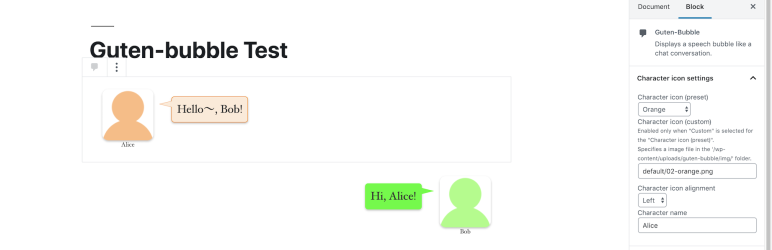
Guten-bubble can create a speech bubble display like a chat conversation.
Features
- It’s easy to create speech bubble using Guten-bubble block for the block editor in WordPress 6.6 or later.
- Pick from 24 color themes for speech bubble.
- You can use it as an icon image by importing image files from WordPress’s media library. Let’s make interesting articles by using icon image on hand!
How to use in block editor
- Add a Guten-bubble block where you want to add a speech bubble.
- Enter serif in the balloon in the block ( the part where ‘Enter serif here …’ placeholder is displayed ), select character icon and set the balloon in the inspector.
Screenshots

Blocks
This plugin provides 1 block.
- Guten-Bubble
Installation
- Upload the plugin files to the
/wp-content/plugins/guten-bubbledirectory, or install the plugin through the WordPress plugins menu. - Activate the plugin through the WordPress plugins menu.
FAQ
-
To use the icon image on hand
-
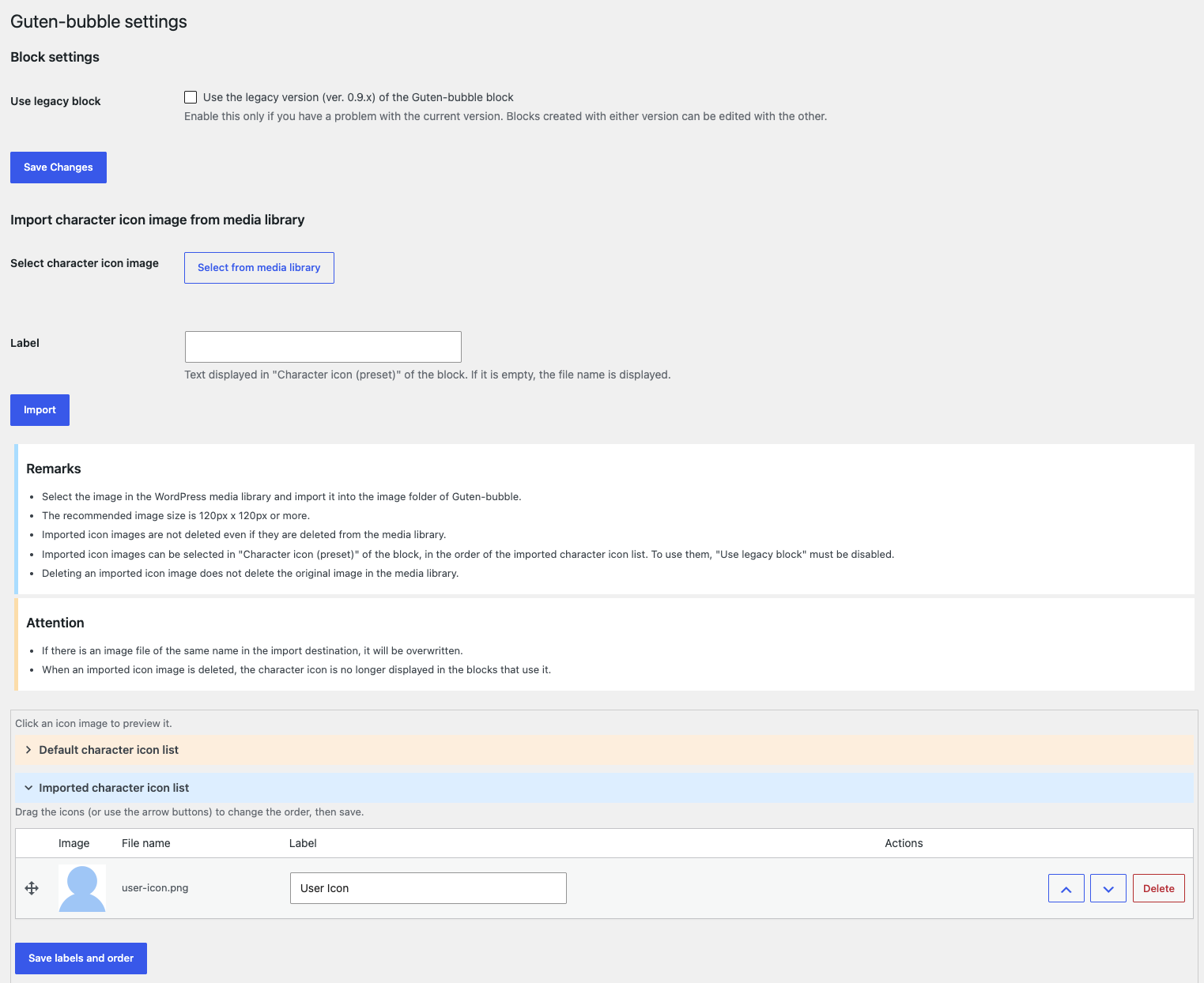
Open Guten-bubble settings page in the setting menu of the admin page.
Press the ‘Select from media library’ button to select the icon image you want to use from the media library (if you have not uploaded it yet, upload it here) and press the ‘Import’ button to import.
( Or upload the icon image files to the/wp-content/uploads/guten-bubble/imgdirectory ( that is created on plugin install ) using FTP software etc. )The imported icon images can be selected in the Imported icons” group of the Character icon (preset)” drop-down box in the Inspector of Guten-bubble” block.
In the settings page, you can set the label displayed in the drop-down box (also when importing), change the order by dragging the icons (or using the arrow buttons), and delete the imported icon images.Alternatively, select custom” from the Character icon (preset)” drop-down box
and enter the file name of the icon image ( relative path from/wp-content/uploads/guten-bubble/imgdirectory ) in the Character icon (custom)” input box,
that Icon image can be used.Note: The imported icon images cannot be selected in the Character icon (preset)” of the legacy block (‘Use legacy block’ option). Blocks using them are still displayed correctly.

Contributors & Developers
“Guten-bubble” is open source software. The following people have contributed to this plugin.
Contributors
“Guten-bubble” has been translated into 1 locale. Thank you to the translators for their contributions.
Translate “Guten-bubble” into your language.
Interested in development?
Browse the code, check out the SVN repository, or subscribe to the development log by RSS.
Changelog
1.0.1
- The imported character icon images can be selected in ‘Character icon (preset)’ of the block.
- Added the label, order and deletion of the imported character icon images to the settings page.
1.0.0
- Rewrote the Guten-bubble block with TypeScript and React. Blocks created with earlier versions can be used as they are.
- Renewed the block settings in the inspector with the standard WordPress components.
- Supported the iframed block editor (Block API version 3).
- Added the ‘Use legacy block’ option to the settings page, to use the block of ver. 0.9.x.
- Changed the requirements to WordPress 6.6 or later and PHP 7.4 or later.
0.9.2
- Fixted version number.
0.9.1
- Upgraded ‘Speech bubble text font size’ property (Blocks already set as of version 0.8.1 will be migrated after the update).
- Fixed some CSS.
0.8.1
- First release.