

Description
LeadSarthi Push Notifications enables WordPress websites to send real-time browser push notifications to users who subscribe to notifications.
This plugin integrates your website with the LeadSarthi platform and provides an easy way to collect subscribers, send notifications, and track engagement.
This plugin uses an external service to deliver notifications. Please review our privacy policy:
https://push.leadsarthi.com/privacy-policy/
Official Website:
https://push.leadsarthi.com
Step by Step Integration Guide:
https://push.leadsarthi.com/integration-guide/
Features
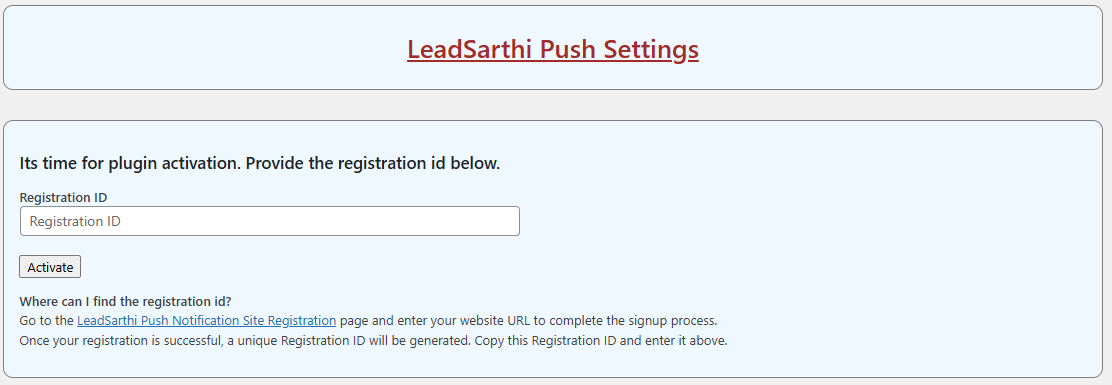
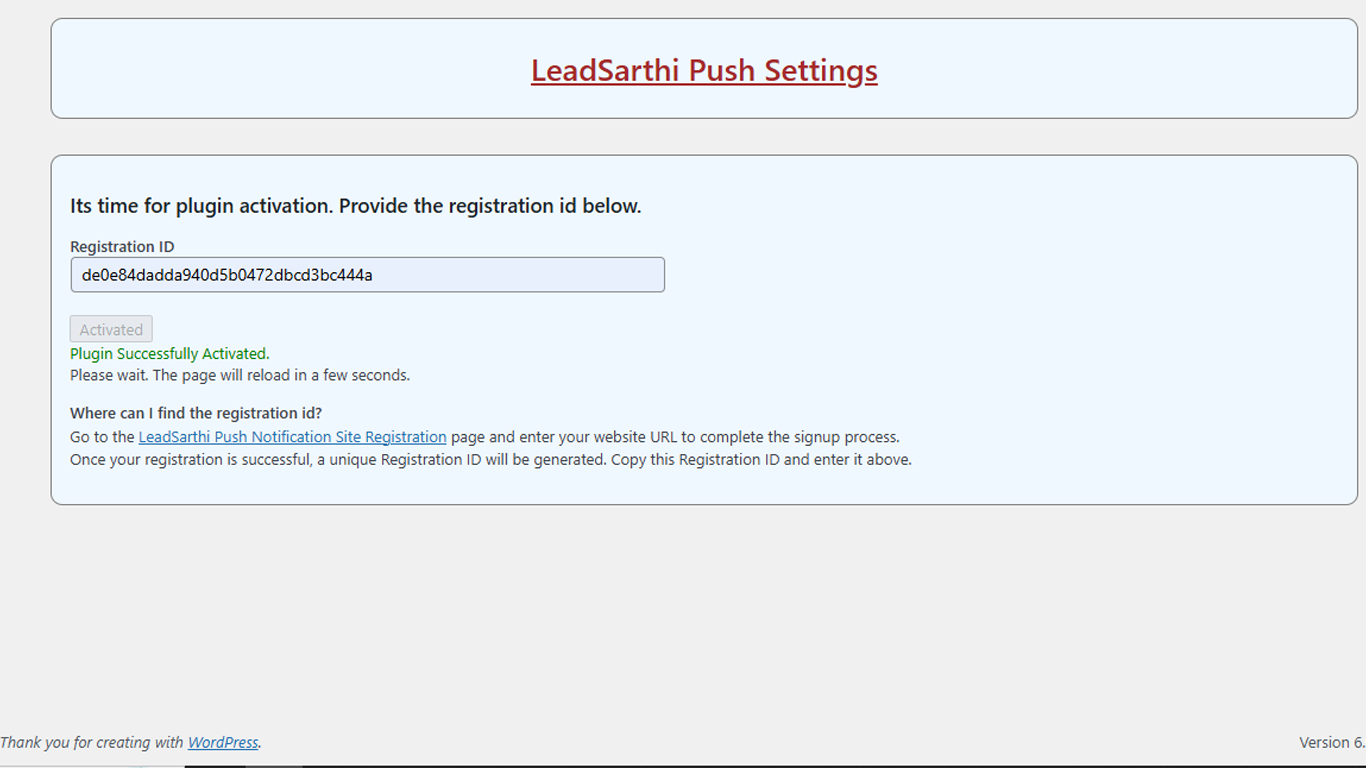
- Easy activation using Registration ID
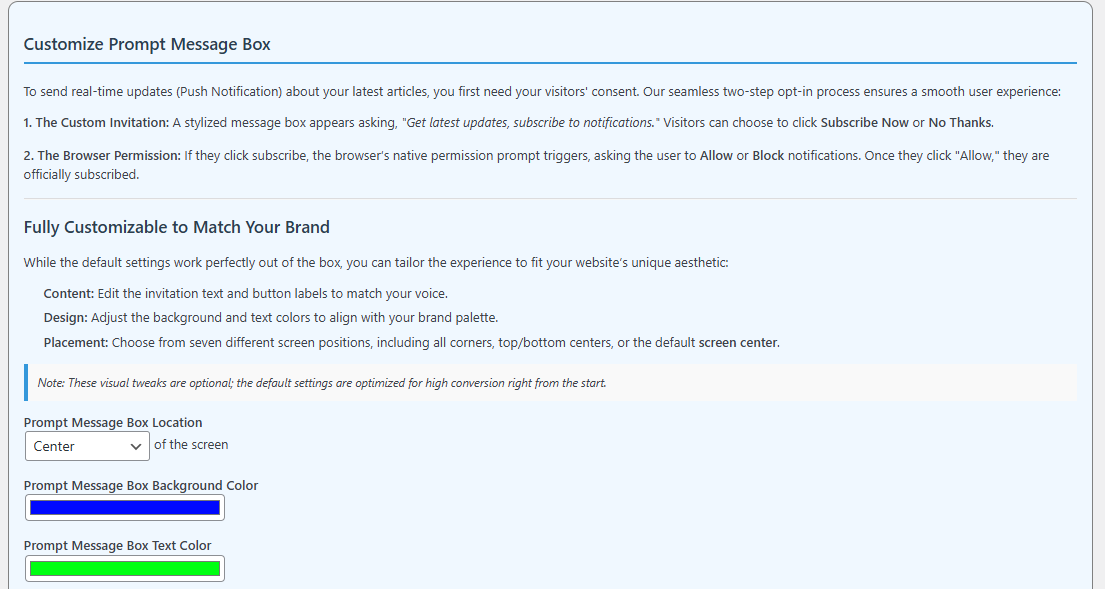
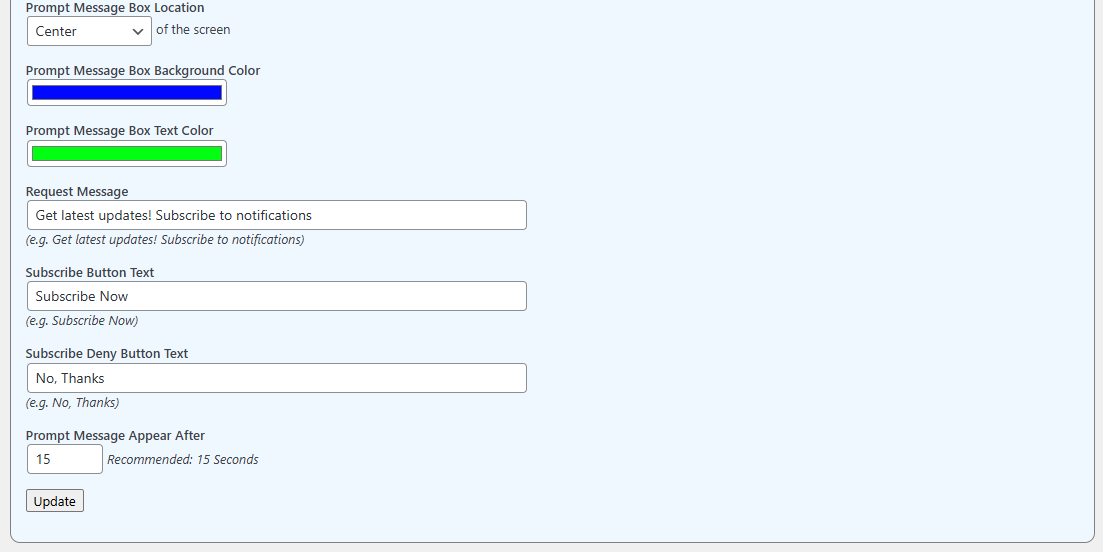
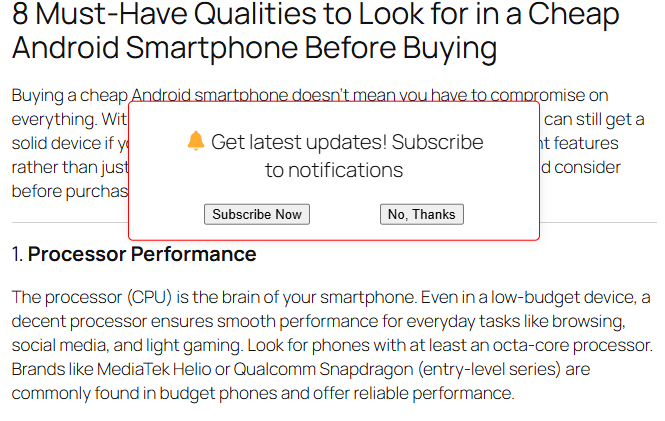
- Customizable subscription prompt message box
- Automatic service worker setup
- Real-time push notification delivery
- Subscriber tracking and analytics
- Works on modern browsers
Privacy Policy
This plugin connects to an external service (https://push.leadsarthi.com) to send push notifications.
Data sent:
- Subscriber ID
- Browser information
This data is used to deliver push notifications.
You can view the full privacy policy here:
https://push.leadsarthi.com/privacy-policy/
Screenshots
Installation
- Upload the plugin files to the /wp-content/plugins/leadsarthi-push-notifications directory, or install the plugin through the WordPress Plugins screen directly.
- Activate the plugin through the ‘Plugins’ screen in WordPress.
- After activation, you will be automatically redirected to the LeadSarthi Push Settings page.
FAQ
-
How do I activate the plugin?
-
- Visit https://push.leadsarthi.com/dashboard/register-website/
- Enter your website homepage URL and register.
- Copy the generated Registration ID.
- Paste it into the plugin settings page and click Activate.
-
What happens during activation?
-
The Registration ID is sent to:
https://push.leadsarthi.com/activate-website-plugin/It is validated against existing records. If valid, the plugin is activated. Otherwise, an error message is displayed with the reason.
-
Can I customize the subscription prompt?
-
Yes. After activation, you can customize:
- Background color
- Text color
- Message text
- Button text
-
How does the subscription process work?
-
When a user visits the website, a prompt message box appears after a delay (default 15 seconds, configurable).
-
If user clicks Yes”:
- Browser permission request is shown.
- If allowed, a subscription is created and stored on LeadSarthi servers.
-
If user clicks No”:
- Prompt is not shown again for 24 hours.
-
If user blocks permission:
- Prompt is suppressed for 24 hours.
-
-
Does the plugin store user data locally?
-
No. Subscription data is stored securely on LeadSarthi servers.
-
How do I send notifications?
-
Login to:
https://push.leadsarthi.comCreate and send notifications instantly to all subscribed users.
-
What analytics are available?
-
Inside the LeadSarthi dashboard, you can track:
- Subscribers gained
- Subscribers lost
- Notifications sent
- Notification clicks
-
What happens on plugin deactivation?
-
Upon deactivation:
- Registration ID is removed
- You need to repeat the activation process again
Reviews
There are no reviews for this plugin.
Contributors & Developers
“Lead Sarthi Push Notifications” is open source software. The following people have contributed to this plugin.
Contributors
Translate “Lead Sarthi Push Notifications” into your language.
Interested in development?
Browse the code, check out the SVN repository, or subscribe to the development log by RSS.
Changelog
1.0.4
- Fixed an issue where the prompt message box would default to appearing 15 seconds after a user visited the site, even if the administrator had set a higher value. The prompt now correctly honors the specific duration configured in the admin settings.
- To prevent confusion with the standard plugin activation process, we have renamed the input field’s primary button from ‘Activate’ to ‘Register.’ Additionally, upon successful registration, the button now displays ‘Registered’ instead of ‘Activated’ when in its disabled state.
1.0.3
- Update color values in the customize prompt message box was not reflecting in the prompt message box at the frontend. Fixed.
1.0.2
- Fixed: Sanitization, validation, and escaping of user input and output.
- Fixed: Proper escaping of variables in inline JavaScript.
- Improved: Security hardening as per WordPress guidelines.
1.0.1
- Updated contributors field
- Minor documentation improvements
1.0.0
- Initial release
- Registration-based activation
- Customizable prompt UI
- Service worker integration
- Push notification functionality